How to Build a Quiz That Scores Answers
A score variable, a rule per question and endings by total: how to build trivia, assessment and personality quizzes, with the exact rules from three templates.

Shaheer Malik
Framer Designer & Developer
Quick answer
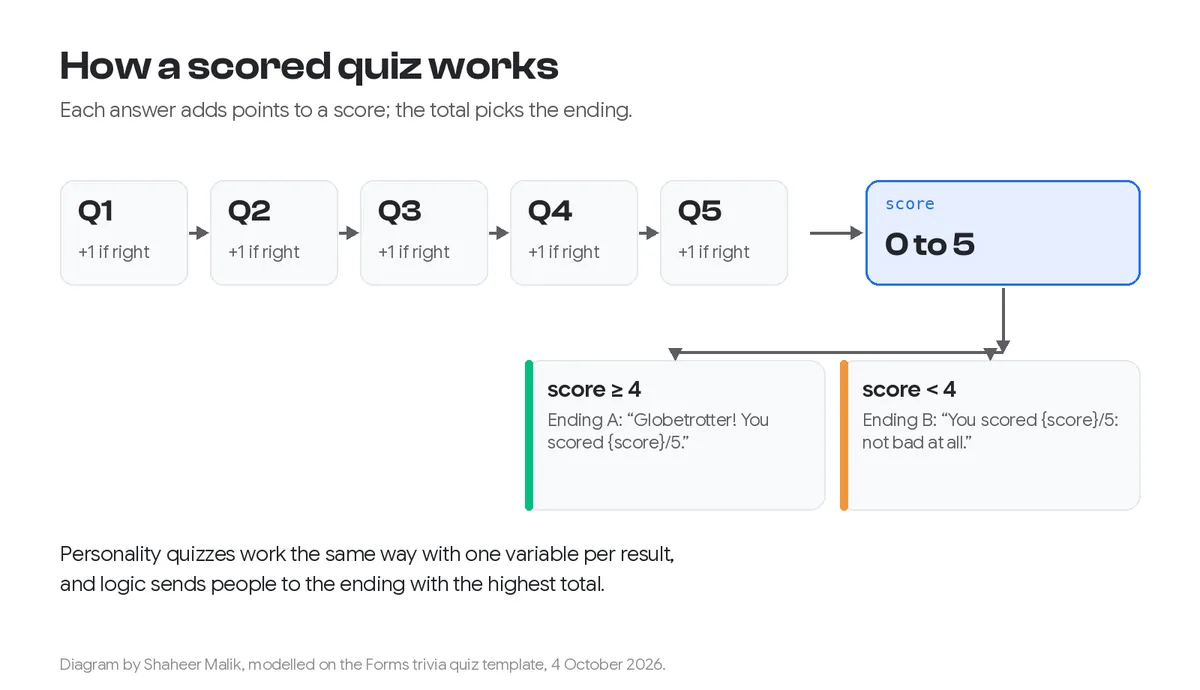
Give the form a score variable starting at 0, add a rule to each question that adds a point for the right answer, then route people to an ending by their total and show the score with a recall, such as "You scored 4/5".
To build a quiz that scores answers, give the form a score variable that starts at 0, add a rule to each question that adds a point when the right answer is chosen, and then send people to an ending based on their total. Show the score on the ending with a recall, such as "You scored 4/5". Personality quizzes work the same way, with the answer deciding which result screen people see. Forms has this on every plan, Free included.
I make Forms. The examples below are its trivia, personality and website-readiness templates, with the exact rules they use.
What kinds of scored quiz can I make?
Three, and they use the same building blocks:
| Type | How it scores | Ending | Template |
|---|---|---|---|
| Knowledge or trivia | +1 for each right answer | Different message by score band, with the score shown | Trivia quiz |
| Assessment or lead magnet | +1 for each "yes" | The score, after asking for an email | Website readiness check |
| Personality | The answer sets a result | One ending per result | Personality quiz |
How do I build a trivia quiz with a score?
Here's how the trivia template is built. You can open it and look at every rule.
- Create the variable. The form has a number variable called
score, starting at 0. - Add a point per right answer. Each question has one rule: if the answer is the correct choice, add 1 to
score. The five questions are photo questions ("Which city is this?"), plus one true-or-false. - Add a pause screen. A statement screen, "Let's see how you did…", holds the routing.
- Route by score. On that screen, one rule says: if
scoreis at least 4, jump to the first ending; otherwise go to the second. - Show the score. The endings recall the variable: "Globetrotter! You scored {score}/5." or "You scored {score}/5 — not bad at all."

To weight questions differently, add 2 or 3 points instead of 1. To take points away for a wrong answer, use a rule that subtracts. Forms' quiz page notes that each answer can add or subtract points.
How do I make a quiz that collects leads?
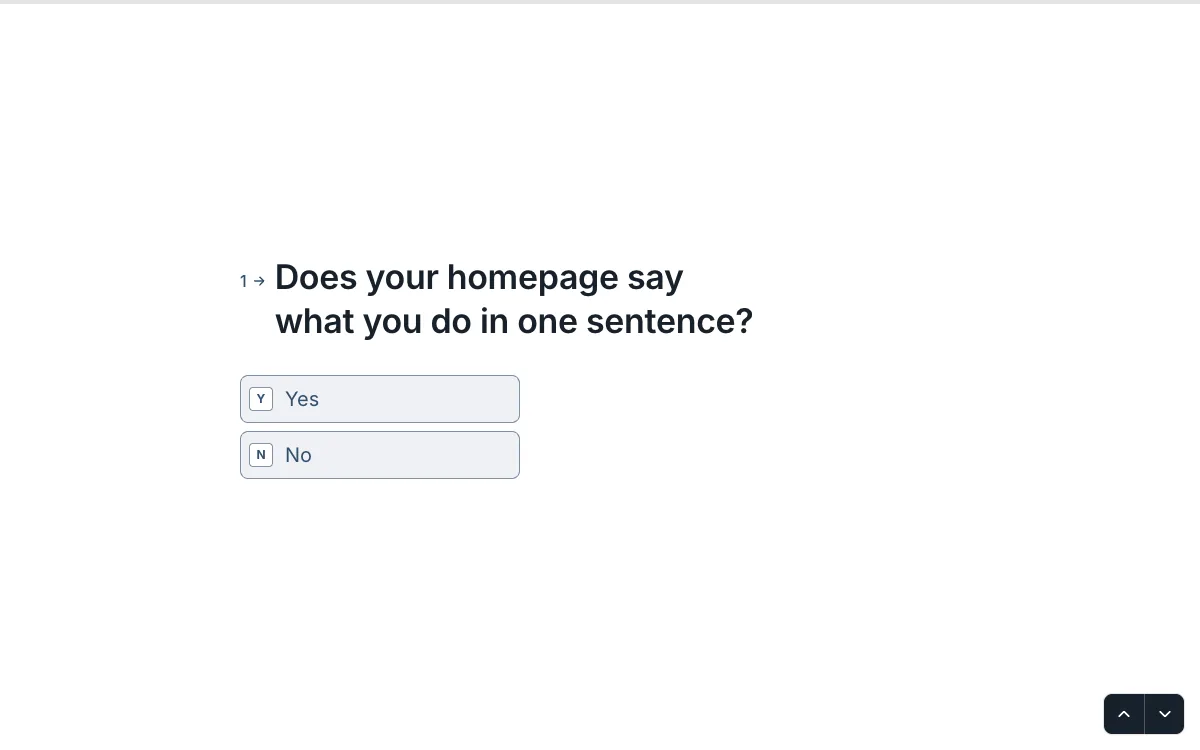
Ask for the email just before the result. The website readiness check is a lead magnet built this way. Five yes-or-no questions each add a point for "yes", such as "Does your homepage say what you do in one sentence?" and "Do you measure conversions?". Then it asks "Where should we send your full report?" before showing "Your score: {score}/5".
Two cautions. Make the email question required only if the result really is worth it. And if you'll add people to a mailing list, ask for that consent as a separate question; don't treat the email as consent. My lead qualification quiz guide covers the sales side.
How do I make a personality quiz?
Map answers to results, then route to one ending per result. The personality quiz template ("What kind of traveller are you?") keeps it simple:
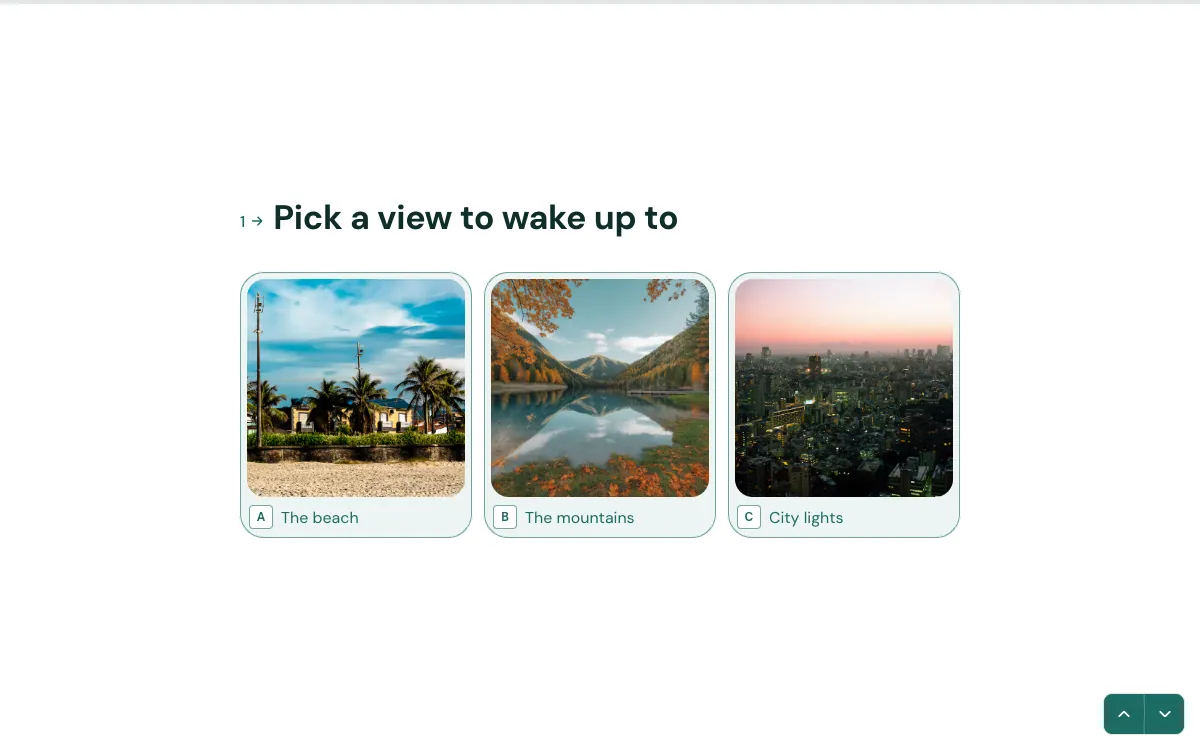
- The first question, a picture choice ("Pick a view to wake up to"), sets the variable to 1, 2 or 3: beach, mountains or city.
- Two more questions add to the fun without changing the result.
- The last question routes by the variable to one of three endings: Beach Drifter, Peak Seeker or City Explorer.
For a fuller personality quiz, give each result its own variable, add to it from every question, and route to the ending with the highest total, as Forms' quiz page describes. Write each result like something people would want to share.
What are common quiz mistakes?
- A rule on the wrong choice. Preview the quiz and answer everything right, then everything wrong, and check both endings show the score you expect.
- Endings that don't cover every score. Always have a fallback ending, as the trivia template's second rule does, so nobody lands on a blank result.
- Gating a weak result behind an email. If the result is just a number, people feel tricked. Make the report genuinely useful, or show the score first.
- Trick questions. A quiz that feels unfair gets abandoned. Make the right answer knowable.
What can I do with the scores afterwards?
Use them to segment. In Forms, Results can be filtered by score, so you can see everyone who scored 4 or 5, tag them, and export just that group. For a lead magnet, high scorers might get a different follow-up from low scorers. On Pro, the score is included in each webhook payload, so your CRM or email tool can branch on it automatically.
What makes a quiz people finish?
- Say how many questions on the welcome screen ("Five questions. No googling.").
- One question per screen. The GOV.UK Design System recommends question pages that ask one thing at a time, and quizzes benefit most because each answer feels like progress.
- Use pictures where they're faster than words.
- Make the result worth it: the score, a personal title, a useful report or a recommendation.
- Keep it short. Three to ten questions is the sweet spot for most quizzes.
Scoring, endings and picture answers are on every Forms plan, Free included, which allows one active form and 100 responses a month. Scores also appear in your results, and in webhook payloads on Pro.
Last updated: 4 October 2026. Build your first form free, no card needed, or talk to me about your project.
FAQ
Frequently asked questions
Create a number variable called score starting at 0, then add a rule to each question that adds a point when the correct answer is chosen. Route to endings by the total and recall the score in the ending text.
Want it done for you? I offer website design on a fixed price, from $700. See pricing.