How to Build a Lead Qualification Quiz That Books Calls
Four or five questions, two scoring rules and a booking step: how to qualify leads before the call, with the questions to ask, how the scoring works and a free template.

Shaheer Malik
Framer Designer & Developer
Quick answer
A lead qualification quiz asks four or five questions about budget, timing and who decides, adds up a score, and only offers a booking calendar to leads above your threshold. Everyone else gets a helpful ending instead of a sales call.
A lead qualification quiz asks four or five short questions about budget, timing and who decides, adds up a score as people answer, and only offers a booking calendar to the leads above your threshold. Everyone else gets a helpful ending instead of a sales call. You can build one free in Forms with the lead qualification template, two scoring rules and a Scheduler question.
I make Forms, the form builder used in the examples, and I use a quiz like this before my own discovery calls. The approach works in any tool that can score answers; I compare the main options below.
What is a lead qualification quiz?
It's a short form that decides, while someone is filling it in, whether a call is worth both your time. Instead of booking every enquiry and finding out on the call that there's no budget, you ask first and let the answers route people.
Most quizzes are built on BANT, a sales checklist HubSpot describes as a method for qualifying prospects at the start of the sales cycle: Budget, Authority, Need and Timeline. A form turns that checklist into questions people answer on their own, before anyone on your team spends a minute on them.
The difference from a normal contact form is what happens at the end. A contact form treats every lead the same. A qualification quiz sends good fits straight to your calendar and gives everyone else something useful, so nobody waits days for a "thanks, but no".
Which questions should a lead qualification quiz ask?
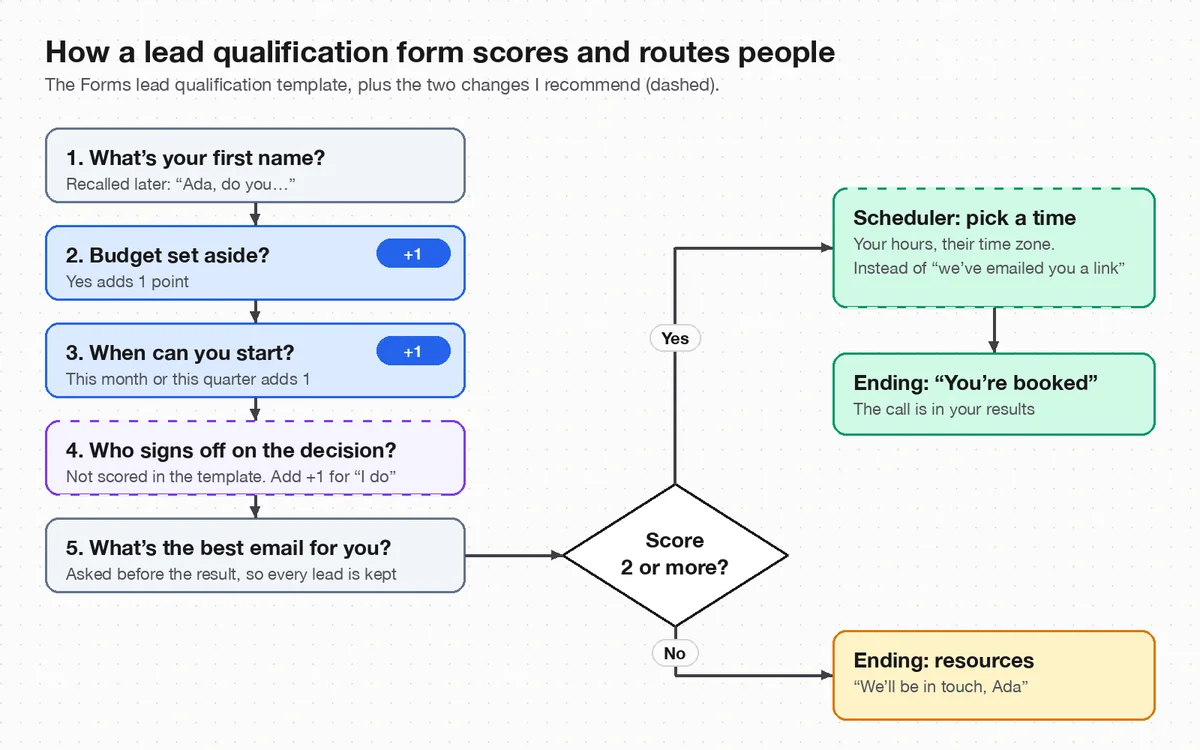
Ask only what changes what happens next. Four or five questions is plenty; every extra one costs you finishes, as I covered in form design best practices. These are the questions in the Forms template, mapped to BANT:
| Question | BANT | Why it's there | Scored? |
|---|---|---|---|
| What's your first name? | None | Recalled in later questions, so the quiz feels like a conversation | No |
| Do you already have a budget set aside? | Budget | A yes/no question is quicker and less awkward than asking for a figure | Yes: +1 |
| When do you need to get started? | Timeline | "This month" and "Just exploring" need very different follow-ups | This month or quarter: +1 |
| Who signs off on the decision? | Authority | Tells you who should be on the call | Not in the template (I add +1 for "I do") |
| What's the best email for you? | None | Asked before the result, so you keep every lead, qualified or not | No |
Need is the one BANT letter the template doesn't ask directly. If your service covers very different problems, add one multiple choice question ("What do you need help with?") and use it to pick the right person or calendar rather than to score.
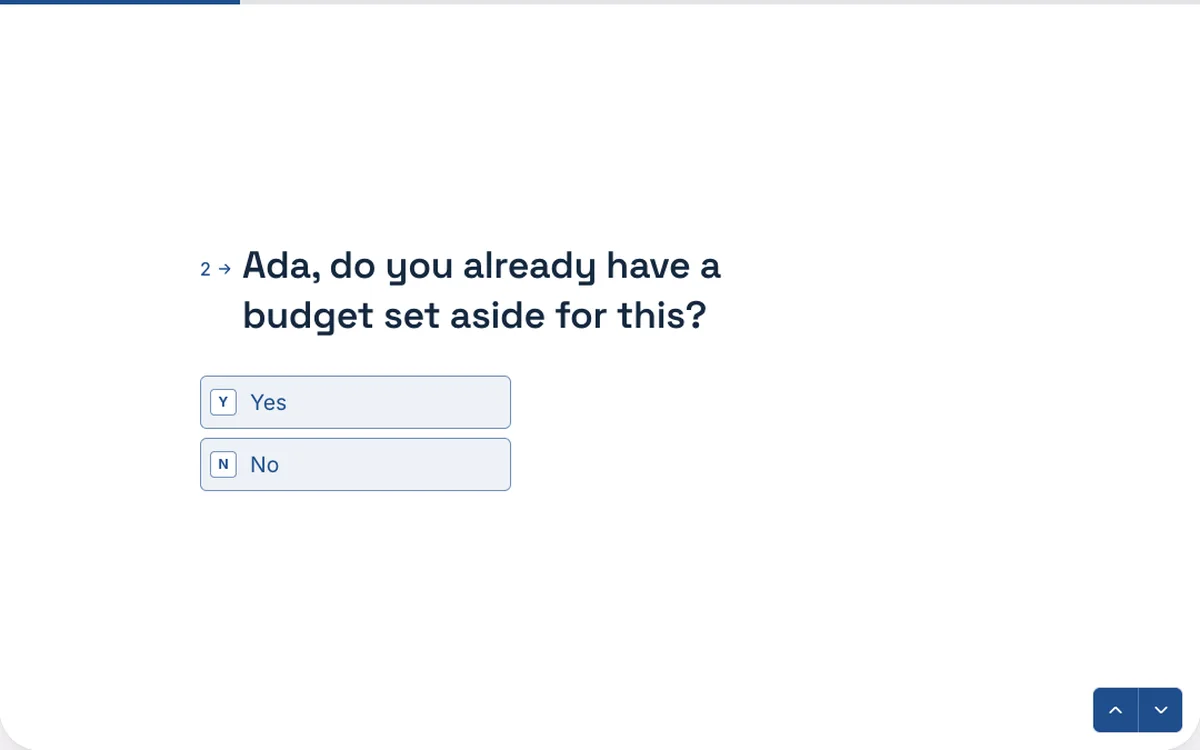
How does scoring decide who gets a call?
Each answer can add points to a score variable, and a rule on the last question checks the total. In the template, a budget adds one point, starting this month or this quarter adds one point, and a total of two or more jumps to the "great fit" ending. Anything less goes to a friendlier "we'll be in touch" ending.
Two points out of two is strict on purpose: it means "has money and is ready soon". If you add a point for "I do" on the sign-off question, keep the threshold at two. Now a founder with a budget but a later start still qualifies, and so does a decision-maker ready this month who hasn't set a budget yet. Both are calls I'd want.
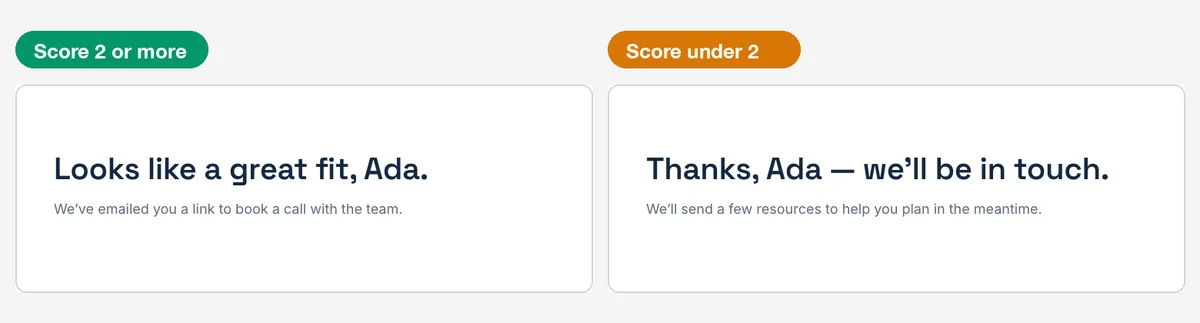
Recall makes both endings personal: the name typed on the first screen appears in the ending. In Forms you add it by typing @ in any text, as the conditional logic page shows.
How do qualified leads book a call without emails back and forth?
Put the booking inside the form. The template's ending says "we've emailed you a link to book a call", which only holds if you then send that email yourself. Forms doesn't email respondents for you, so change that step in one of two ways.
Option 1: a Scheduler question for qualified leads only
Add a Scheduler question after the email question and point the "score 2 or more" rule at it instead of at the ending. Qualified leads pick a time from your weekly hours, shown in their own time zone, and the booking is confirmed when they submit. A slot is held while someone finishes, so two people can't take the same time. The Scheduler is on every Forms plan, Free included.
One honest limit: the Scheduler doesn't sync with Google Calendar yet. Bookings land in your results and CSV export; on Pro, a webhook can add them to any calendar through Zapier, Make or n8n.
Option 2: a booking link on the ending
If you already live in Calendly or Cal.com, keep the template's endings and put a button linking to your booking page on the "great fit" ending. Forms endings can show a link or redirect straight to another page. The trade-off is one more page to load, and the booking isn't tied to the form response.
How does this compare with Typeform, Tally and Calendly?
They all get qualified leads onto a calendar, but they differ on where the booking happens and which plan you need. I checked each one's own help or pricing page on 2 October 2026:
| Tool | Booking inside the form | What you need |
|---|---|---|
| Forms | Scheduler question with your own hours | Any plan, Free included (Pro is $19 a month) |
| Typeform | Scheduler question using Google Calendar or Calendly | Google Calendar booking needs the Business, Growth Flow, Growth Custom or Enterprise plan; Calendly booking needs a Calendly account |
| Tally | An embedded Calendly or Cal calendar | Embeds are free; you need a Calendly or Cal.com account |
| Calendly | Routing forms in front of your booking page | Teams plan, $16 per seat a month billed yearly |
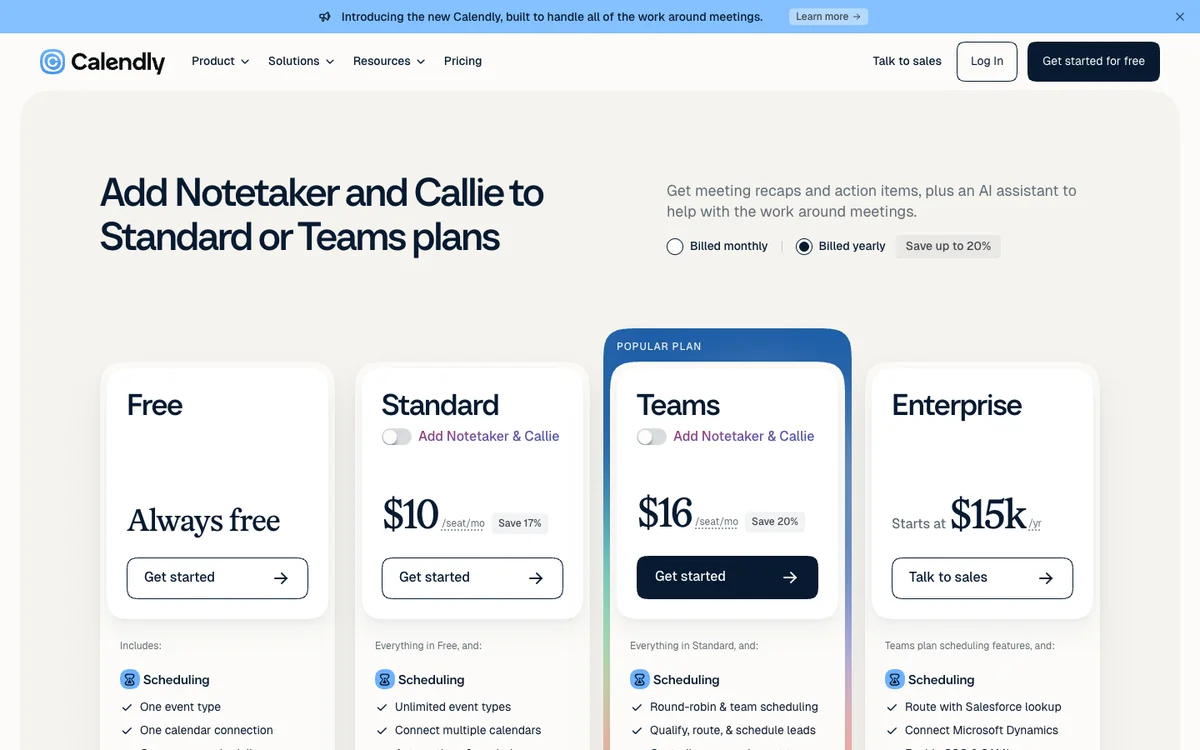
Calendly's routing forms are the most powerful option if a sales team shares the calls, because they can route to different people. For a freelancer or small studio, a scored form with its own booking step does the same job without a per-seat bill. For the wider differences, see Forms vs Typeform and Forms vs Tally.
How do I build one in Forms, step by step?
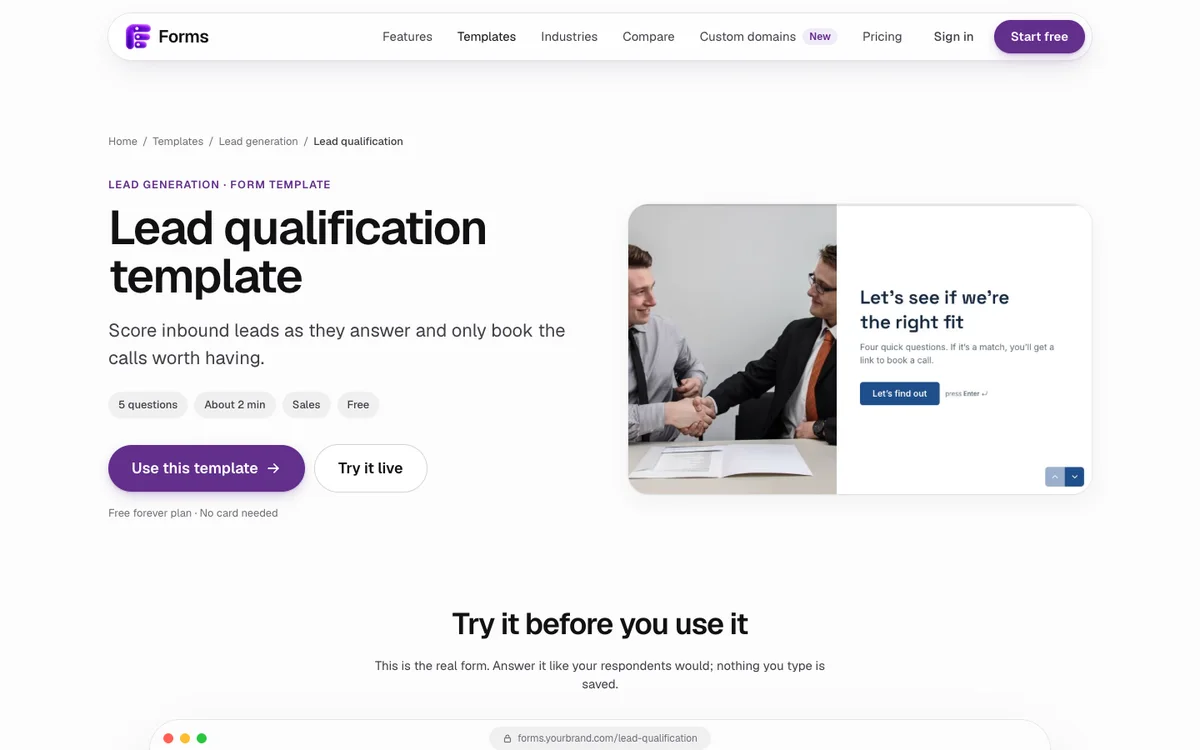
- Start from the template. Open the lead qualification template and click Use this template. It opens as your own copy.
- Edit the questions. Match the timeline answers to how you sell. A studio booking two months out might score "This quarter" and "Next quarter".
- Check the scoring. On the Logic tab, the budget and timeline questions each add one point. Add one more for "I do" on the sign-off question if decision-makers matter to you.
- Add the booking step. Insert a Scheduler question after the email question, set your hours, session length and buffer, and change the "2 or more" rule to jump to it.
- Rewrite both endings. "You're booked, see you then" for qualified leads; a useful resource for everyone else, such as a pricing guide or a case study.
- Test both paths. Preview the form twice, answering once as a great lead and once as an early one, and check each lands where you expect.
What mistakes make qualification quizzes backfire?
- Asking for the email last, after the result. People who don't qualify leave without it. Ask before the result, as the template does.
- Making the "no" ending feel like a rejection. An early lead today is often a customer next year. Thank them, give them something useful and tell them when you'll be in touch.
- Too many questions. Five is plenty. Ask the rest on the call.
- A threshold nobody passes. Check your results after the first 20 or so responses. If almost everyone lands on the "later" ending, your questions are too strict.
- Never looking at the low scorers. Read them now and then. One might be a bigger client who simply answered "Just exploring".
If you send this to inbound leads from your website, embed it on your contact page so the first step is the quiz. For what to send people once they've signed, see my client onboarding form template.
Last updated: 2 October 2026. Build your first form free, no card needed, or talk to me about your project.
FAQ
Frequently asked questions
A short form that scores answers about budget, timing and who decides, then shows a booking calendar only to leads above a threshold. Everyone else gets a helpful ending instead of a sales call.
Want it done for you? I offer website design on a fixed price, from $700. See pricing.