Client Onboarding Form Template for Agencies and Freelancers
One link that collects everything before kickoff: the seven questions to ask, what to add for your kind of project, how to collect files safely, and a free template.

Shaheer Malik
Framer Designer & Developer
Quick answer
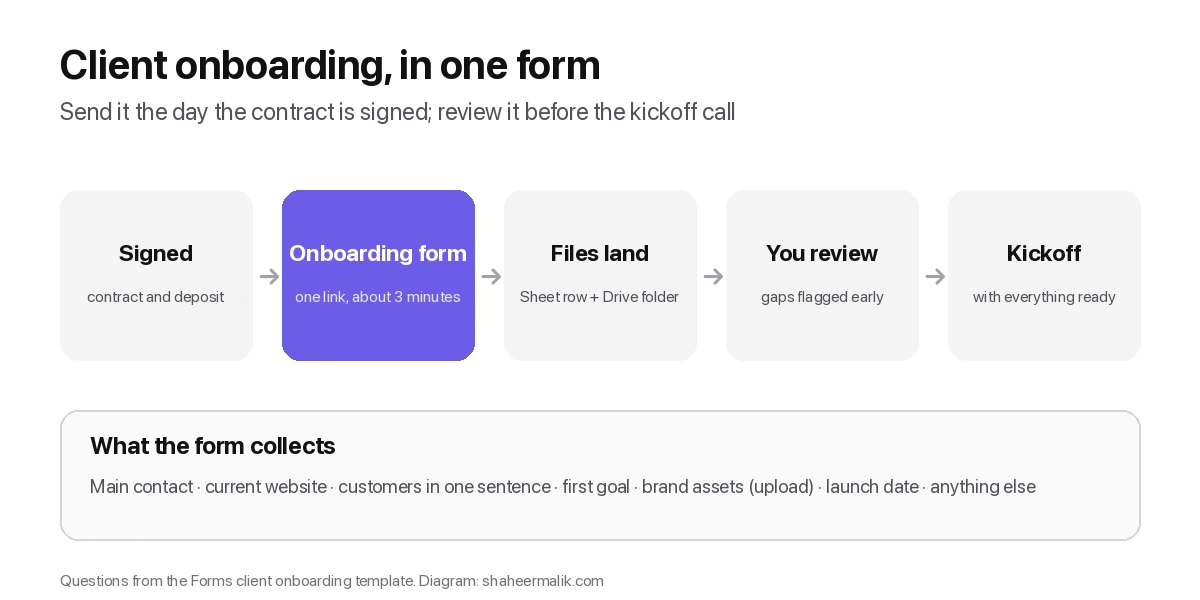
A client onboarding form collects everything you need before kickoff in one link: the main contact, current website, customers, first goal, brand assets, launch date and anything else. Send it the day the contract is signed and review it before the first call.
A client onboarding form collects everything you need before kickoff in one link: the main contact, the current website, who the customers are, the first goal, brand assets, the launch date and anything else you should know. Send it the day the contract is signed, review it before the first call, and you'll start the project with answers instead of an email thread. A free seven-question template is below.
I run a design and development studio, and I make Forms, whose template is shown here. The questions work in any form tool.
Why use a form for client onboarding?
Because email threads lose things. A logo arrives in one reply, the brand guidelines in another, the login weeks later, and the kickoff call is spent asking questions the client already answered somewhere. One form gives the client a single place to answer, and gives you one record per client.
It also sets the tone. A clear, well-designed onboarding form is the first deliverable a new client sees after signing.
What should a client onboarding form ask?
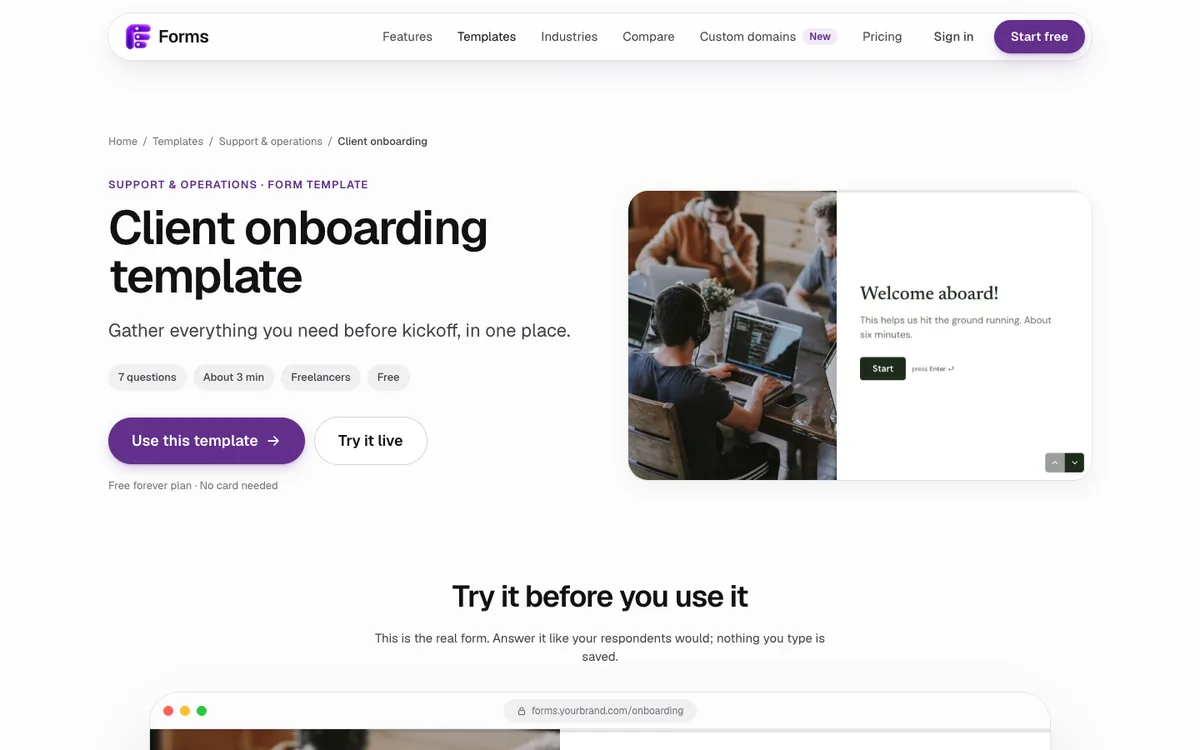
Only what you need to start well. The Forms client onboarding template asks seven questions in about three minutes:
| # | Question | Why it matters |
|---|---|---|
| 1 | Who's our main point of contact? | One person to send drafts to and get decisions from |
| 2 | Your current website | Context before the first call |
| 3 | In a sentence, who are your customers? | Forces a clear answer you can design for |
| 4 | What should the project achieve first? | Sets the priority when trade-offs come |
| 5 | Upload your brand assets (optional) | Logos, fonts and guidelines in one place |
| 6 | Ideal launch date | Shows early if the timeline is realistic |
| 7 | Anything we should know before we start? (optional) | Catches the surprise that would have cost a week |
How long should a client onboarding form be?
About three minutes. Seven to ten questions is plenty for most projects, shown one at a time so it feels lighter on a phone. If your list is growing past fifteen, split it: what you need before kickoff goes in this form, and what you need later goes in a second form sent when that stage starts.
What else could you add for your kind of project?
Add questions only if the project needs them. Each extra field costs time, and Baymard Institute's research on checkout forms shows most forms carry more fields than they need.
- Website projects: domain and hosting provider, and who has access to them.
- Brand projects: three competitors, and three brands they admire.
- Marketing projects: current channels and what's working.
- App projects: platforms, and whether they have developer accounts.
- Billing: who receives invoices, if that's not the main contact.
Should an onboarding form ask for passwords?
No. Never collect passwords or other credentials in a form, even a private one. Ask instead whether the client can invite you to the account (most website builders, hosting providers and analytics tools allow that) or arrange to share access through a password manager.
How do you collect brand files and assets?
Use a file upload question, made optional so a client without a brand kit isn't blocked. Forms accepts uploads up to 100 MB per file, and can copy them to a Google Drive folder so each client's files are in one place.
Ask for originals rather than screenshots: vector logos (SVG, AI or EPS), font files or names, and the brand guidelines PDF if there is one.
When should you send the onboarding form?
The same day the contract is signed and the deposit is paid, while the client is most engaged. Send it with a short note saying how long it takes (about three minutes) and when you need it by, ideally a few days before the kickoff call so you can read the answers first.
If something is missing, follow up on that one question rather than resending the whole form.
What should the onboarding email say?
Keep it short, warm and specific about what you need and when. For example:
Hi Sam, thanks for signing. To get started, please fill in this short form: [link]. It takes about three minutes and covers your goals, your brand files and your launch date. If you can send it by Tuesday, I'll have everything ready for our kickoff call on Thursday.
One link, one time estimate, one deadline. Anything more belongs in the kickoff call.
What are common client onboarding mistakes?
- Asking everything at once. A twenty-question form after signing feels like homework. Ask what you need to start; collect the rest as the project goes.
- Making uploads required. Not every client has a brand kit ready. Optional uploads keep the form moving.
- Collecting credentials. Ask for access invitations instead.
- Not reading it before the call. If you ask the same questions again on the call, the form was wasted.
What should happen after a client submits it?
Read it before the kickoff call and turn the gaps into the call's agenda. With Forms, each submission can land as a row in Google Sheets, so you have a running list of every client's answers, and on Pro a webhook can send it to your project tool through Zapier, Make or n8n.
Then confirm receipt. A short "Got it, see you on Thursday" tells the client the form went somewhere real.
Which other forms should an agency use?
Onboarding is one of four forms most studios need. Forms has templates for each:
- Lead qualification: score budget and timeline before a discovery call.
- Website design quote: pages, features and deadlines up front.
- Branding questionnaire: industry, audience, budget and deadline.
- Client onboarding: everything before kickoff.
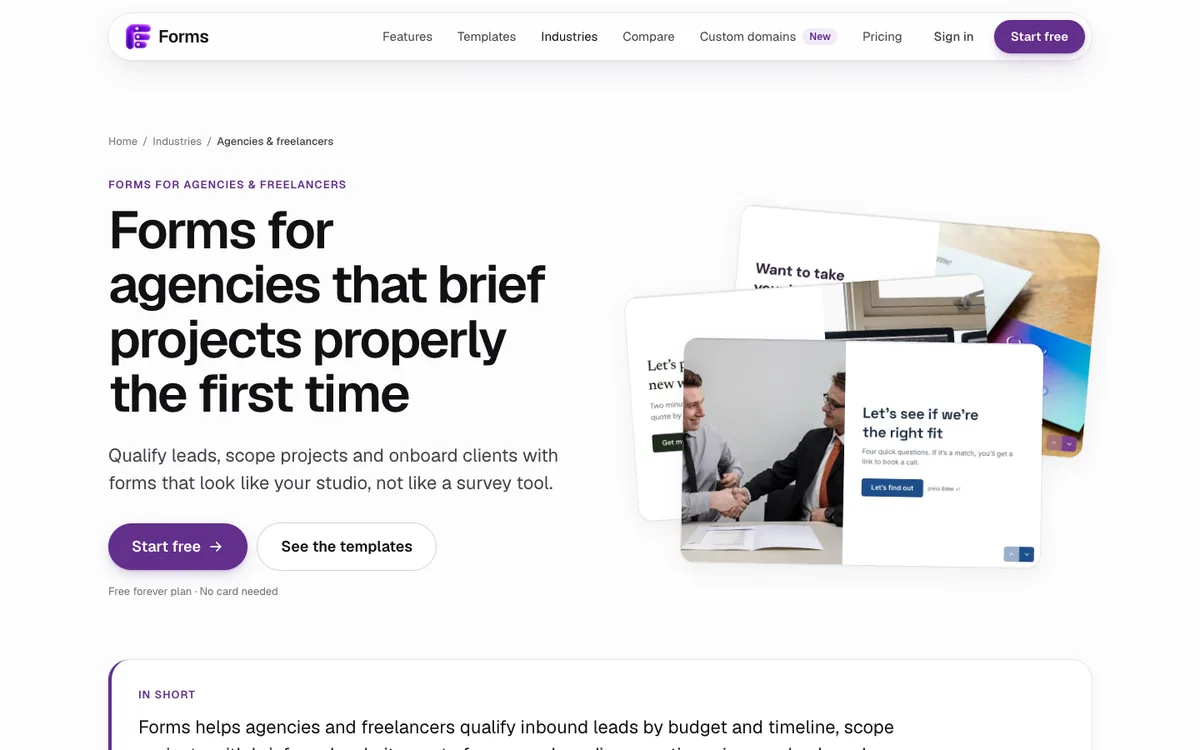
On Pro, all of them can live on your own domain, such as forms.yourstudio.com, so the first thing clients see after signing looks like your studio. For the design side of these forms, see my 15 form design best practices.
Last updated: 2 October 2026. Build your first form free, no card needed, or talk to me about your project.
FAQ
Frequently asked questions
The main contact, the current website, who the customers are, the first goal, brand asset uploads, the ideal launch date and an optional question for anything else. Add project-specific questions only if you need them.
Want it done for you? I offer website design on a fixed price, from $700. See pricing.