Best Travel Expense Apps for Group Trips in 2026
The best apps for tracking and splitting expenses on a group holiday — compared on currency locking, offline use, itineraries, budgets and settling up.

Shaheer Malik
Framer Designer & Developer
Quick answer
A group trip needs per-trip currency locking, offline capture, flexible splitting and a live budget — not the recurring-bill model most expense apps are built around. EconoGlance covers a full holiday; Tricount, Splid, Settle Up and Splitwise each win a narrower case. Choose based on whether your group settles once at the end or continuously.
The best travel expense app for a group trip is one built for trips, not flatshares — with per-trip currency locking, offline capture, flexible splitting and a live budget. EconoGlance leads for a full group holiday; Tricount, Splid, Settle Up and Splitwise each win a narrower case. Here's what actually matters on a group trip, and which app does it.
Disclosure: I'm the founder of EconoGlance, one of the apps below. I've noted where other apps beat it.
Most expense apps are built for the flat you live in, not the week you spend abroad. Then you take one on a trip and discover the gaps: no offline mode when you're out of data, no way to lock the currency, and no concept of a trip having a beginning and an end. Here's what actually matters on a group holiday, and which apps do it.
What to look for in a travel expense app
- Per-group currency locking. The most under-rated feature in travel. If each person's phone converts at a different rate on a different day, you end up with four different totals for the same trip. Fix the currency once and convert at the end.
- Offline capture. You will log a taxi in a car park with no signal. If the app can't hold it and sync later, you'll stop logging by day two.
- Flexible splitting. Half the expenses on a trip aren't equal — the excursion two people skipped, the dinner where one person had the tasting menu.
- A live budget. Knowing you're £120 over halfway through is worth more than a perfect reckoning at the end.
- Clean settle-up. Simplifying ten debts down to four transfers is the difference between people paying and people procrastinating.
1. EconoGlance — best overall for group trips
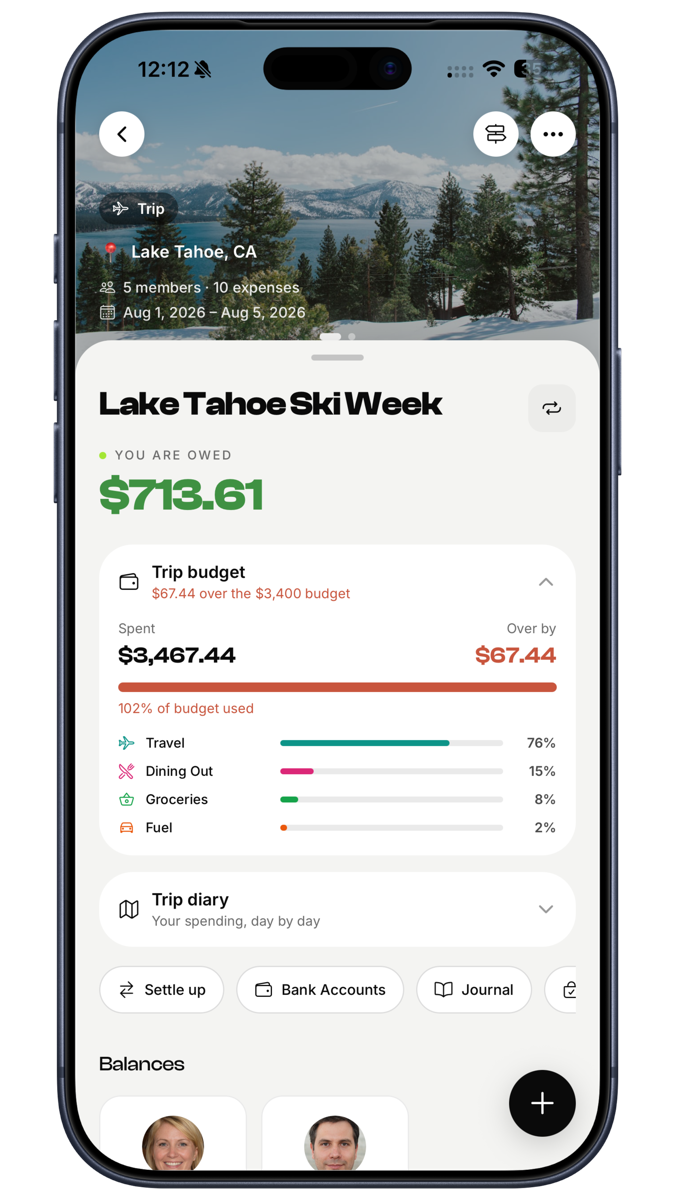
In EconoGlance, a trip is a distinct object rather than a group with a holiday-sounding name. A trip has dates, a destination, a live budget, and — unusually — an itinerary and a packing list alongside the money.
What stands out:
- Per-group currency, locked. Set EUR for the trip and it stays EUR for everyone. Your cross-trip totals still convert to your own currency automatically.
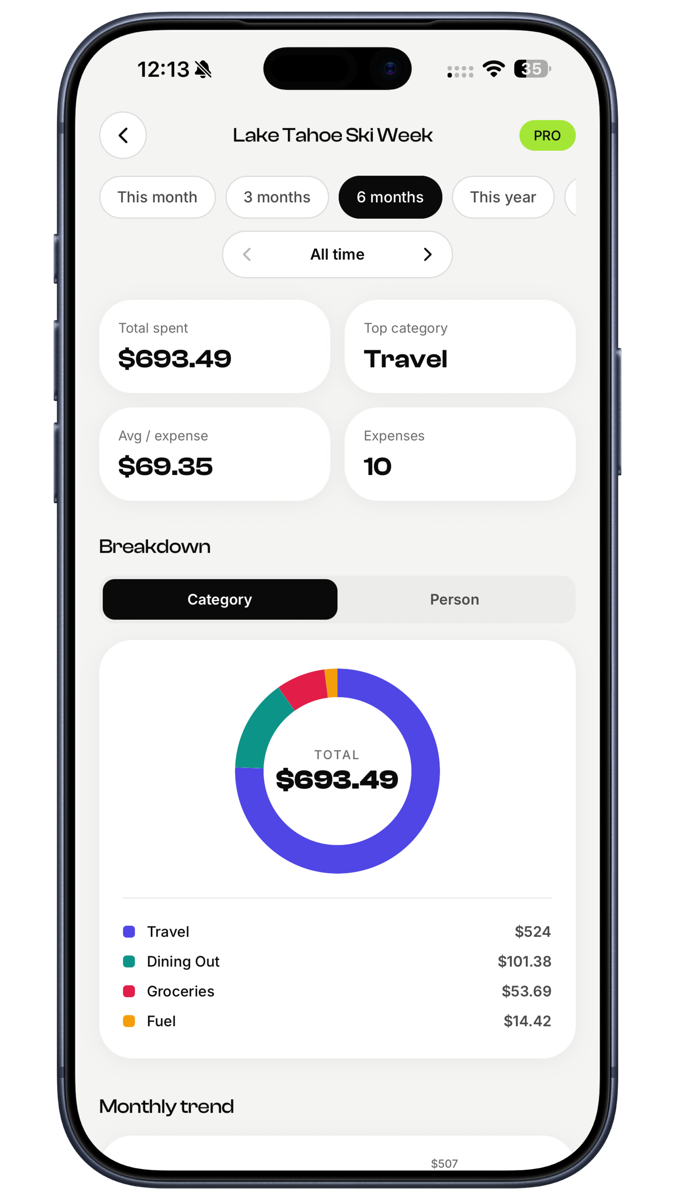
- Live trip budget. Set £2,600 and watch it tick down as things get logged.
- Shared and personal packing lists. The shared one stops four people bringing a speaker; the personal one is yours.
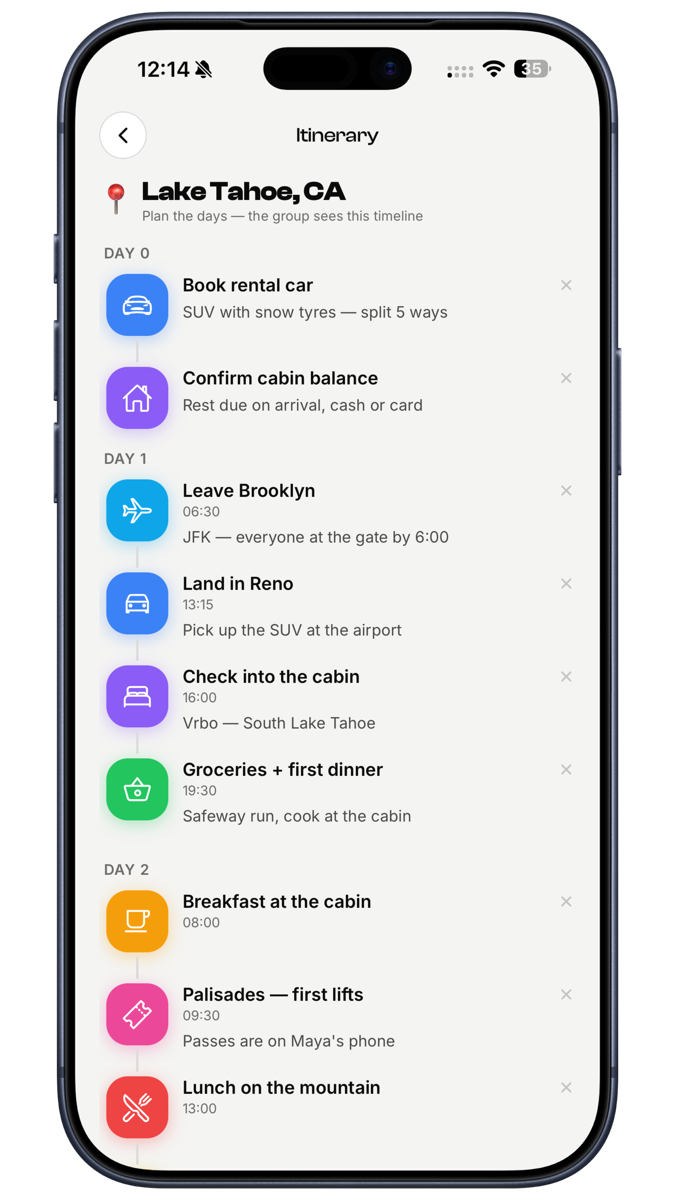
- Itinerary with times. Stops attach to days, and expenses attach to the day they happened — so the plan becomes the record.
- Trip report. At the end it generates a single page with the itinerary, everyone's photos, the spend breakdown and the journal notes. This is the feature people screenshot.
- Receipt scanning so logging a restaurant bill takes seconds, and five splitting methods including itemised.
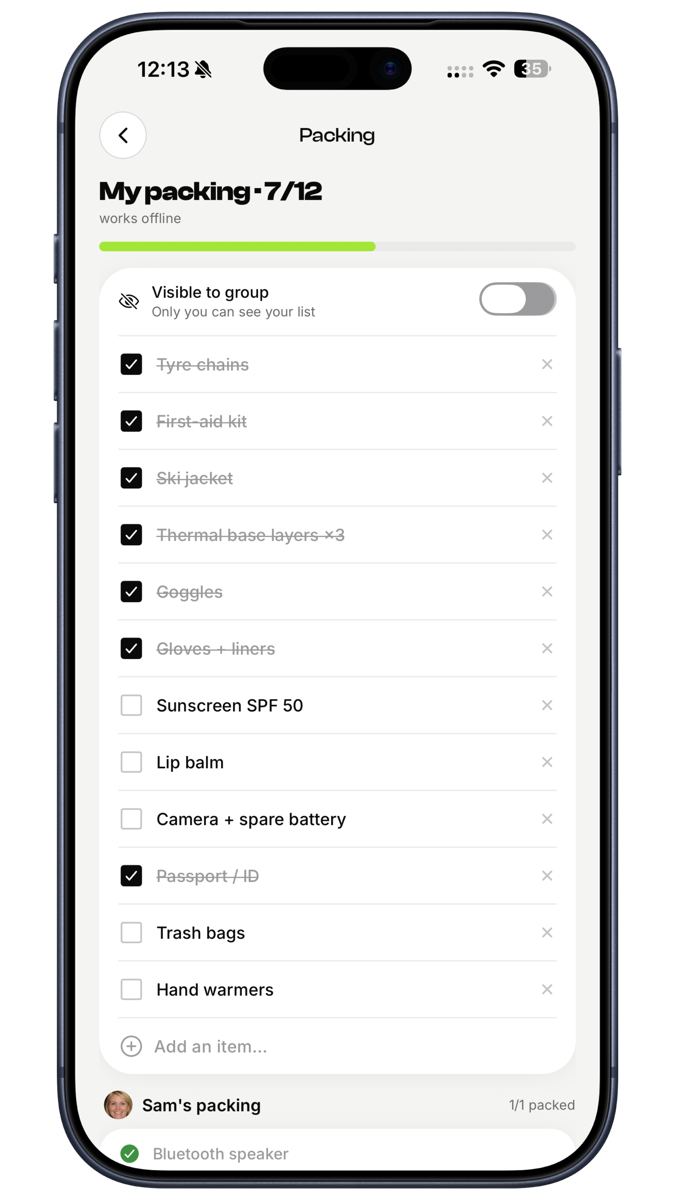
Where it loses: receipt scanning and analytics are Pro. If all you want is a bare splitter for one weekend, it's more app than you need.
2. Tricount — best for a single simple trip
Built for exactly this: create a trip, add people, log expenses, settle at the end. Popular across Europe, handles multiple currencies, and the learning curve is close to zero.
Where it loses: no receipt scanning, no itinerary or packing features, and it's weaker for ongoing shared living once you're home.
3. Splid — best offline and for no-signup groups
Works fully offline and needs no account — you share a code. For trekking, festivals, or anywhere data is unreliable or expensive, that's a genuine advantage over everything else here.
Where it loses: no account means no safety net if you lose your phone. Minimal features beyond splitting.
4. Settle Up — best when some people won't install anything
Members can participate without creating accounts, which solves the most common real-world problem: the one friend who won't sign up for anything.
Where it loses: ads on free, no scanning, no trip-specific features.
5. Splitwise — the default, and still fine
Most people already have it, which counts for a lot when you're trying to get six people onto the same system before a flight.
Where it loses: free-tier limits on daily expense entries, ads, scanning behind Pro, and no real trip concept — a holiday is just a group.
Quick comparison
| App | Currency lock | Offline | Itinerary | Packing | Trip report | Receipt scan |
|---|---|---|---|---|---|---|
| EconoGlance | Yes | Yes | Yes | Yes | Yes | Pro |
| Tricount | Yes | Partial | No | No | No | No |
| Splid | Yes | Full | No | No | No | No |
| Settle Up | Partial | Partial | No | No | No | No |
| Splitwise | Partial | Partial | No | No | No | Pro |
How to choose in one line
- A proper group holiday you're organising → EconoGlance
- One simple weekend away → Tricount
- Somewhere with no signal → Splid
- A group that won't sign up for anything → Settle Up
- Everyone already uses it and the trip is short → stay on Splitwise
The short version
Pick something before you fly, agree what's shared, and log as you go. The app matters less than the habit — but an app built for trips rather than flatshares makes the habit far easier to keep. EconoGlance is free to start on iOS and Android, with no ads on any tier and one-tap import if you're moving from Splitwise.
FAQ
Frequently asked questions
Splid is fully free with no account. EconoGlance's free tier covers groups, splitting, balances and settle-up with no ads on any tier.