Split the bill in seconds. Stay friends forever.
Scan a receipt, split it any way you like, and always know who owes what. Built for the messy reality of shared money — flatmates, group trips, and the friend who always pays and never asks.
Quick answer
EconoGlance is an expense-splitting app for iOS and Android that scans receipts, splits bills equally, by percentage or by exact amounts, and settles up in one tap. The free plan covers one group and 50 expenses; Pro is $4.99 a month for unlimited groups plus AI receipt scanning and spending insights.
Why it exists
Shared money goes wrong in the same way every time. Someone fronts the bill, the group means to sort it out, and three weeks later nobody can remember who paid for the taxi. Most expense apps are built for one shape of that problem — a flatshare or a holiday — and handle the other badly.
What makes it different
The splitting model is the point. Equal, percentage and exact splits are all first-class, recurring costs persist month to month, and AI reads the receipt so the logging step — the step people actually skip — takes one photo instead of five fields.
Who it is for
- Flatmates splitting rent, bills and the weekly shop
- Groups on a trip, where currencies and who-paid-what get tangled
- Anyone who keeps fronting the bill and quietly writing it off
What it does
Built around the step people actually skip.
AI receipt scanning
Photograph the receipt and the line items, total and tax are read for you. The logging step is where every other expense app loses people.
Split any way that is fair
Equal, by percentage, or exact amounts per person — all first-class rather than buried in a settings screen.
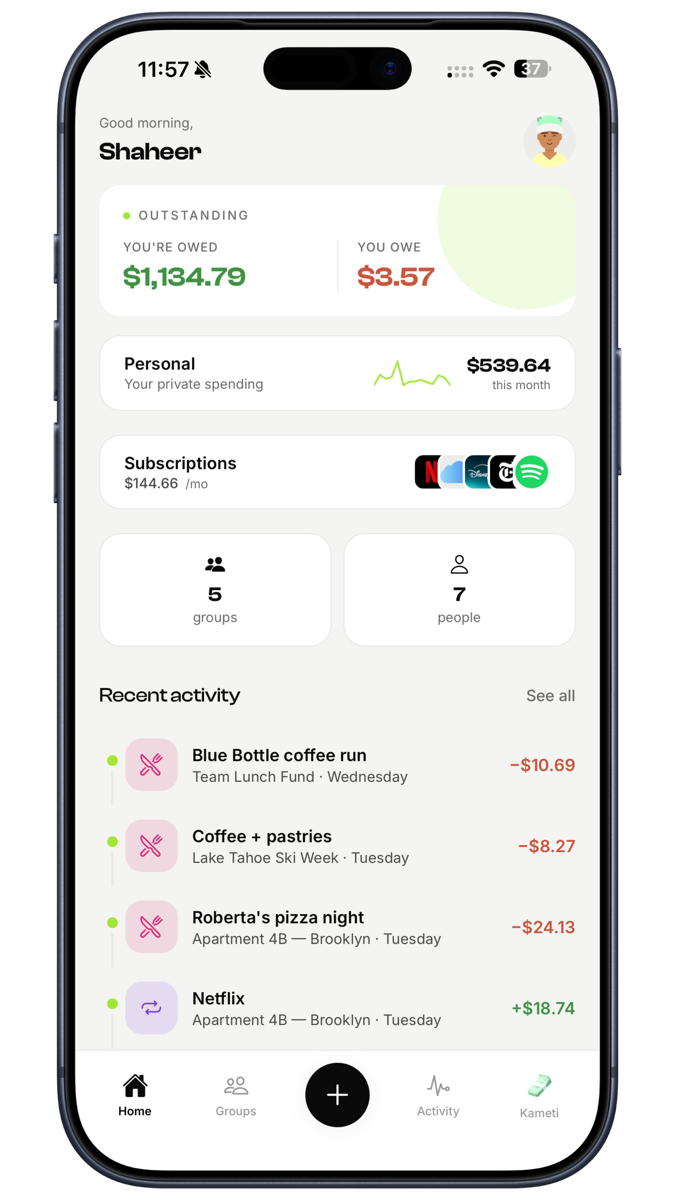
Subscriptions in one place
Every recurring cost the group shares, tracked together, so the streaming bill nobody claims stops being a monthly argument.
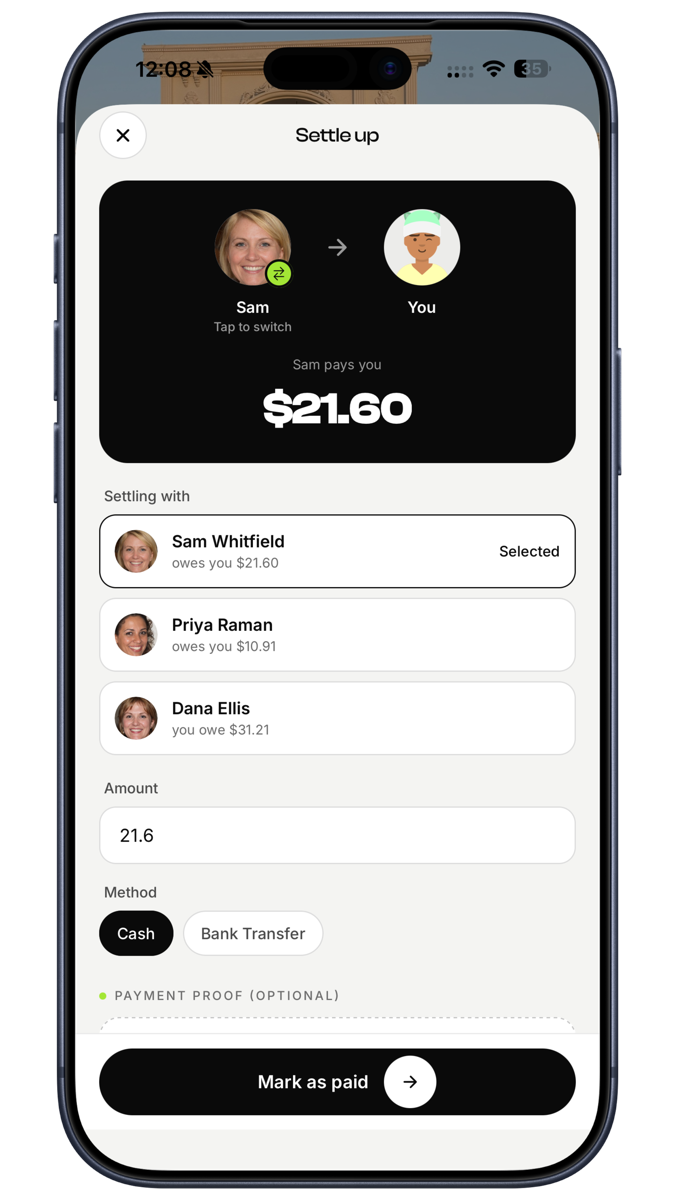
One-tap settle up
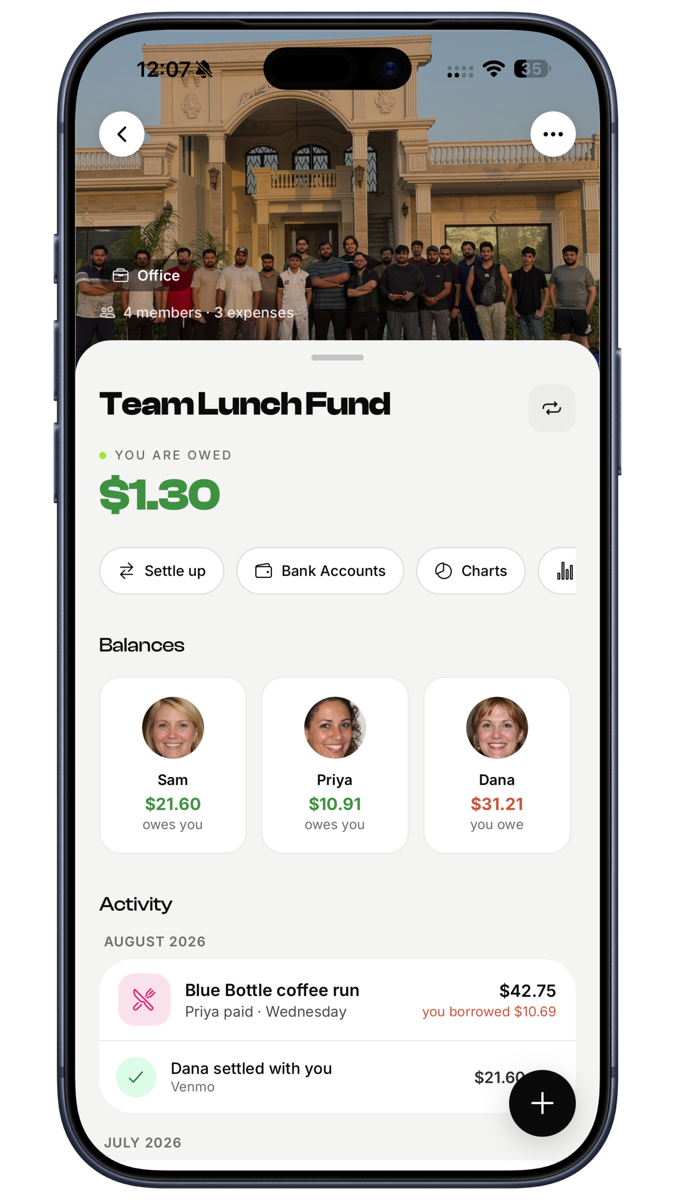
From spent to settled in three steps, with a clear running balance rather than a spreadsheet nobody updates.
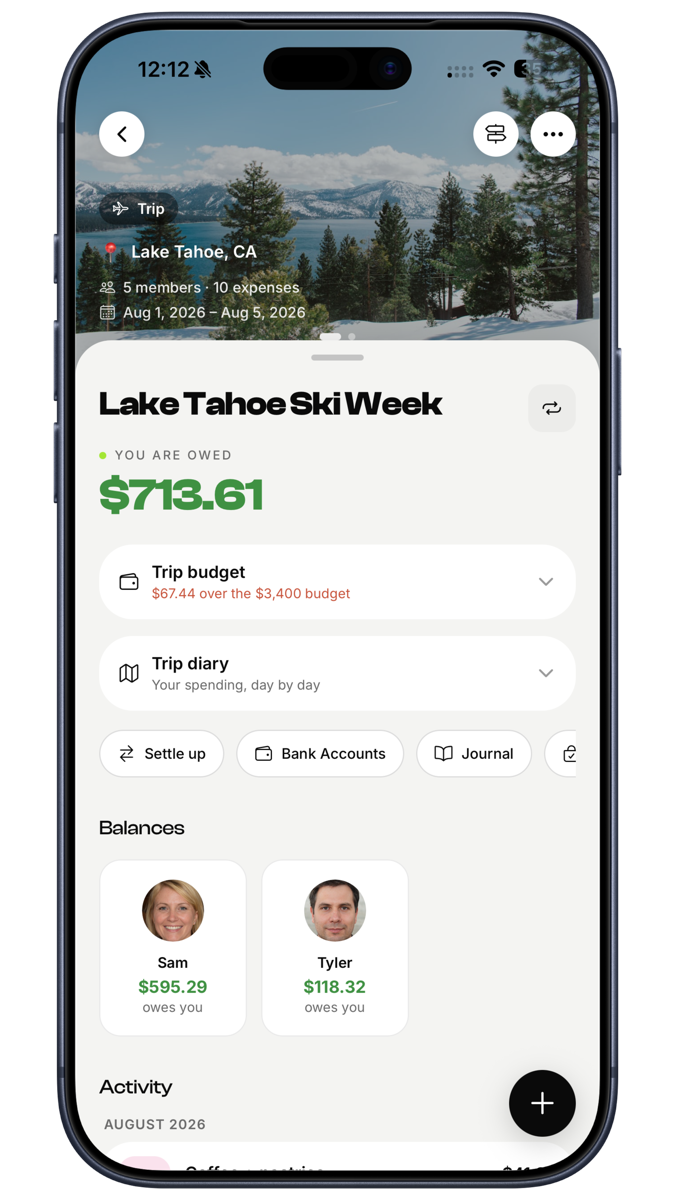
Trip budgets
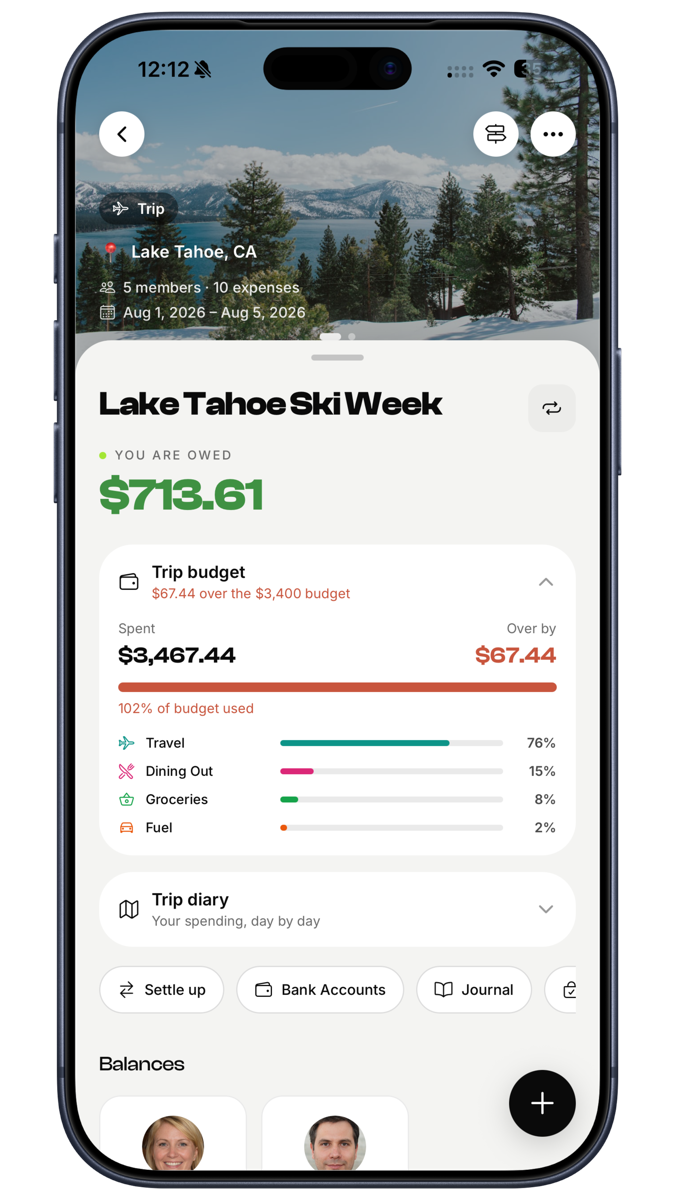
Per-trip budgets and charts for group holidays, where the shape of the problem is different from a flatshare.
AI spending insights
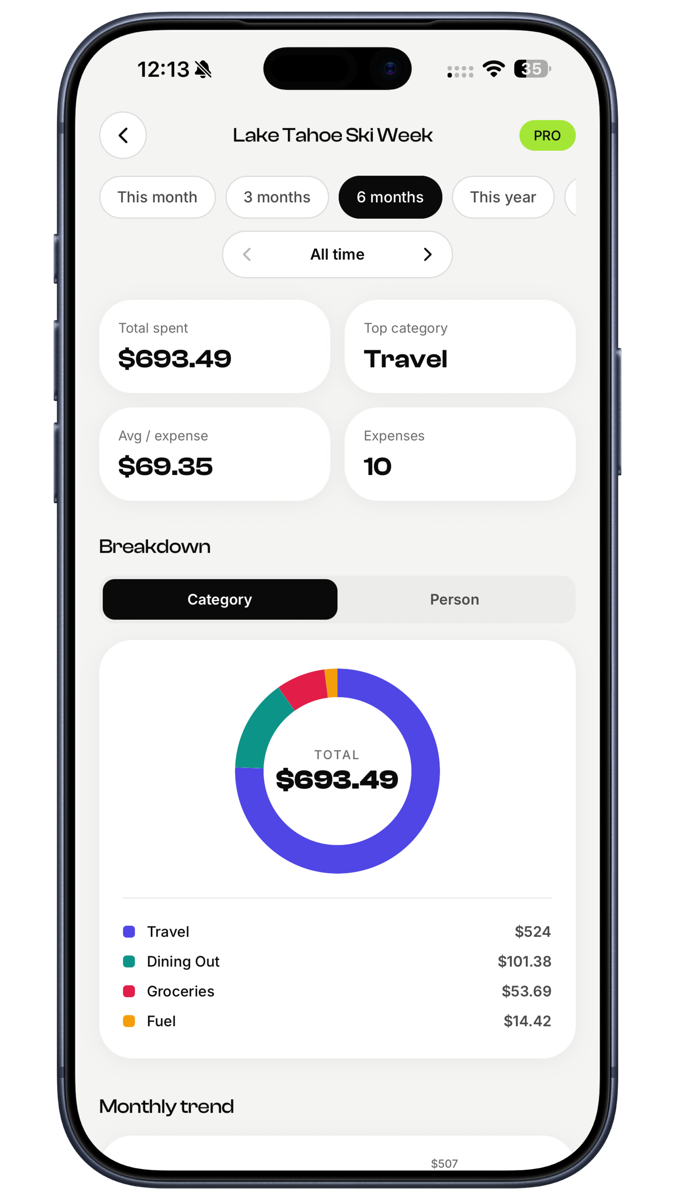
Where the group's money actually went, summarised and exportable.
Pricing
Start free.
Free
$0 / forever
Enough to get your first group off the ground.
- 1 group to split with
- 50 expenses total
- Equal, % and exact splits
- One-tap settle up, no ads
Pro
Most useful$4.99 / per month
Unlimited everything, with AI doing the logging.
Starts with a 3-day free trial
- Unlimited groups and expenses
- AI receipt scan and auto-split
- AI spending insights and export
- Trip budgets and priority support
Questions
Before you download
Yes, to start. The free plan covers one group and 50 expenses with equal, percentage and exact splits, one-tap settle up and no ads. Pro is $4.99 a month and starts with a 3-day free trial.
I build products like this for other people too
EconoGlance was designed and built by one person — the same one who would build yours, on a fixed price agreed before anything starts.